
What are React Components?
Dev Samay
Senior ReactJS Developer

In this part, we will understand basics of react components. Back in the days, developer writes the thousand lines of code in just one file that means...
In this part, we will understand basics of react components. Back in the days, developer writes the thousand lines of code in just one file that means every will be cover in the same file, so if any logic or line of code causes error then developer had to find out which simply means too much time was taken to solve only one problem. To solve this, we have introduced with react components.
React Components in nothing, but they are just files which have created to reduce messy and weighted code from main file, React Components are the files in which we can write code for individual logic so if any logic or code have some mistake then we can easily debug and correct it accordingly.
There are mainly two types of React components:
(1) Functional component
(2) Class component
Function Component
Heading.js
import React from 'react';
function Heading()
{
 return(
 <h1> ReactJS GURU</h1>
 );
}
export default Heading;
Details.js
import React from 'react';
function Details()
{
 return(
 <p> Best and Easy Learn On ReactJS GURU</p>
 );
}
export default Details;
App.js
1import React from 'react';
2import Heading from './Heading';
3import Details from './Details';
4function App()
5{
6 return(
7 <>
8 <Heading/>
9 <Details/>
10 </>
11 );
12}
13export default App;
14
index.js
import React from 'react';
import ReactDOM from 'react-dom/client';
import App from './App';
const root = ReactDOM.createRoot(document.getElementById('root'));
root.render(
 <App />
);
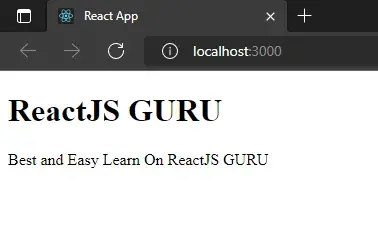
Okay, as you can see we have here Heading.js, Details.js, These files are our components in this we have taken one heading and in other one we have a paragraph. And also remember the component file’s name starts with a Capital letter.
We have here imported these files into our App.js file, if you want to use component in your file then you have to import it with import <any name> from ‘component file path’. Here you can give any name you want to, but it is recommended to give a proper name, so you can identify the file.
After that, we use component with <componentname/> this tag, looks like a custom HTML tag right? Also, we have used fragments here since we need to show two different tags. The syntactic sugar form for fragment is <>…code…</>.
Now as you can see we have index.js looks pretty cool with some few lines.
Class Component
Functional components are simpler than class components. You need to extend react.component. Create a component and a render function that returns React elements. Data can be passed from one class to another class component. A class can be created by creating a class that extends Components. It also has a render function. The below example shows a valid class component.
Example:
Heading.js
1import React from 'react';
2class Heading extends React.Component
3{
4 render(){
5 return(
6 <h1> ReactJS GURU</h1>
7 );
8 }
9}
10export default Heading;
11
Details.js
1import React from 'react';
2class Details extends React.Component
3{
4 render(){
5 return(
6 <p> Best and Easy Learn On ReactJS GURU</p>
7 );
8 }
9}
10export default Details;
11
App.js
1import React from 'react';
2import Heading from './Heading';
3import Details from './Details';
4function App()
5{
6 return(
7 <>
8 <Heading/>
9 <Details/>
10 </>
11 );
12}
13export default App;
14
index.js
import React from 'react';
import ReactDOM from 'react-dom/client';
import App from './App';
const root = ReactDOM.createRoot(document.getElementById('root'));
root.render(
 <App />
);
Here in Heading and Details component, we need to use class component for that we have extended the React.component package, and also we need to render again and again if you write more components, So using functional component will be smart choice to work with. Also, App.js and index.js will remain the same as functional components.
About Dev Samay
Senior ReactJS Developer with extensive experience in building scalable web applications. Passionate about modern JavaScript frameworks, best practices, and creating exceptional user experiences.